Applications
Troubleshooting
Outdated: this section documents The Things Network V2, which is no longer maintained. See the documentation for The Things Stack V3, or browse the V2 docs index.
Are you encountering issues with the AWS IoT integration? This guide walks you through viewing health and getting log files of the integration that may help resolving issues.
Check Health #
- Update the integration to the latest version
- Log in to the AWS Management Console
- In Services under Compute, go to Elastic Beanstalk
- Find your application
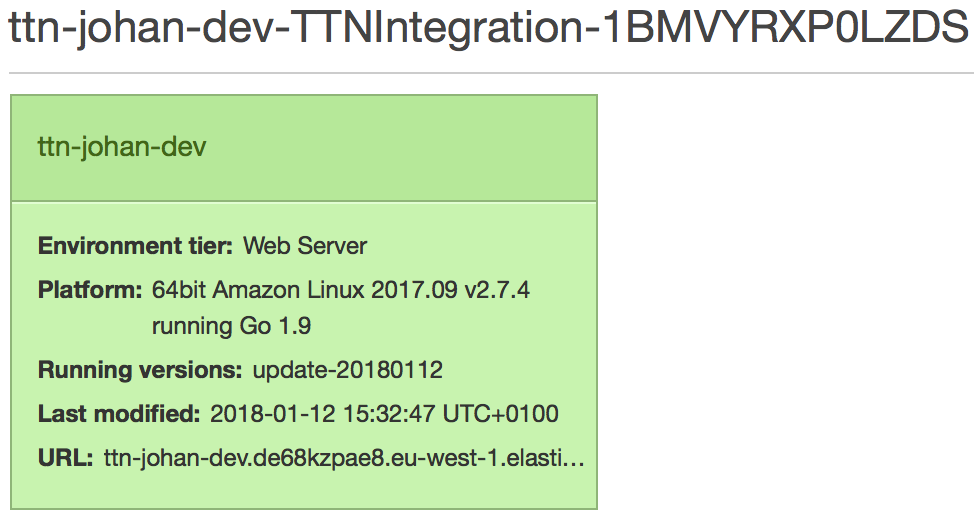
- Click the tile of your environment
- You may see degraded health here. Click the Causes button for diagnosis
Get Log Files #
- Go to the Elastic Beanstalk environment of your application (see above)
- Click Logs in the menu on the left
- Click Request Logs and click Last 100 Lines

- Click the Download link of last 100 lines requested
- The logs of the integration process can be found under:
/var/log/app-1.error.log/var/log/app-1.log
Healthy logs look as follows:
-------------------------------------
/var/log/app-1.error.log
-------------------------------------
(empty)
-------------------------------------
/var/log/app-1.log
-------------------------------------
  INFO Published uplink                         DevID=node
  INFO Updated shadow reported state            DevID=node
  INFO Published uplink                         DevID=node
  INFO Updated shadow reported state            DevID=node
  ...
Any WARN, ERROR or FATAL should provide enough context to resolve the issue, e.g. wrong authentication parameters (app ID or access key), wrong thing attributes, etc.